

Mon Oct 26 2026
...
Kommentarer er nu oversat for hver læser
What's New
FastComments har i et stykke tid været oversat til otteogtyve sprog, så knapper, etiketter og e-mails allerede vises på læserens sprog. Kommentarerne gjorde det ikke. En spansk kommentar på en engelsk side forblev på spansk, og alle som ikke læste den scrollede forbi.
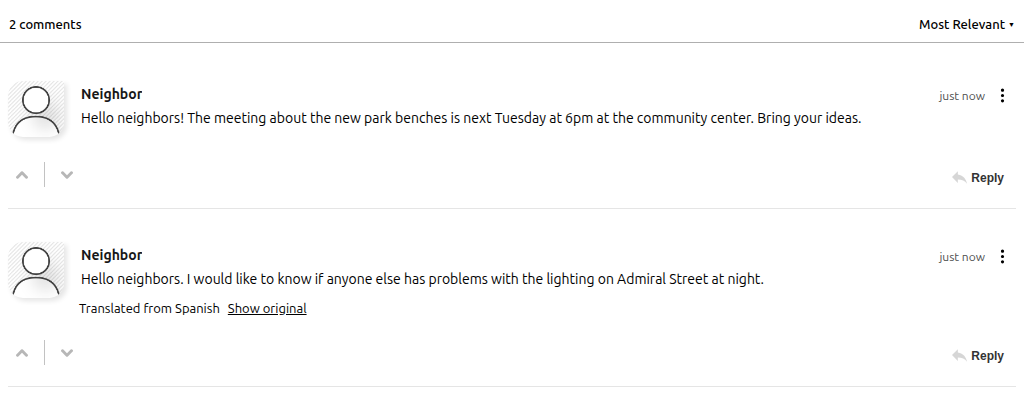
This release adds Comment Translation. When it's on, a comment written in a language other than the reader's is shown translated, with a small line underneath saying where it came from and a Show original link to see what was actually written.
Two Modes
Automatic translates up front. Every comment in another language arrives translated, and the reader toggles to the original if they want it. This is the mode for a community that genuinely writes in two or more languages and wants everyone reading the same conversation.
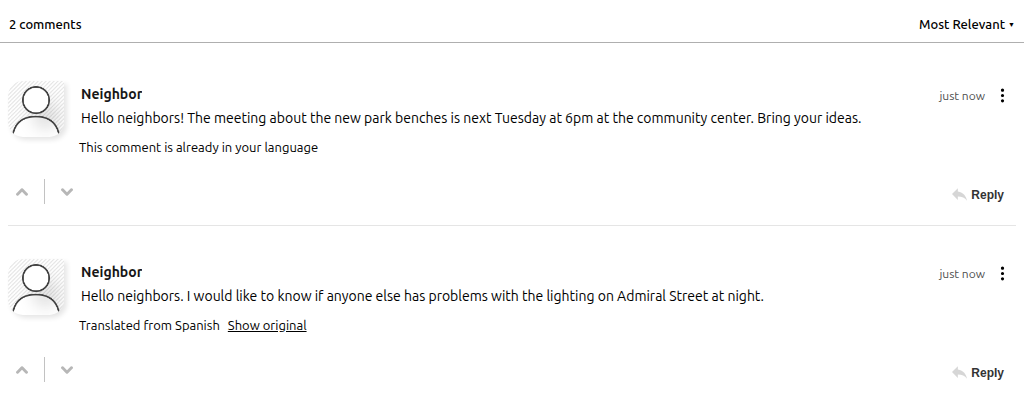
Manual adds a Translate link to each comment and does nothing until it's clicked. The reader decides which comments are worth translating, and nothing is spent on the ones nobody asks about. A comment that's already in the reader's language says so instead of pretending to translate it.
In both modes the reader's language is whatever the widget is already showing: the Locale / Language you set on the customization rule, or the visitor's browser language if you haven't set one. There's nothing for the visitor to install, sign up for, or configure. It works the same whether the widget is embedded in your page, inside a site builder like Google Sites, or on a standalone FastComments comment page.
Turning It On
Open your Widget Customization, find Comment Translation right under Locale / Language, and pick Automatic or Manual. It's off by default.
Because it lives on a customization rule, you can scope it however you like: your whole site, one domain, or a single page where you know the audience is mixed. It's a server-side setting, so it can't be switched on from the widget's JavaScript config alone.
What It Costs
Translations are produced by a language model and billed as LLM tokens, the same meter as AI Agents. Any plan can turn it on.
Each comment is translated once per language and the translation is stored with the comment. If a thousand Spanish readers open the same English thread, the translation work happens once. A typical comment is a few hundred tokens, which at Flex rates is about half a cent. If the author or a moderator edits a comment, the stored translation is thrown away and the comment is translated fresh on the next view, so nobody reads a translation of text that no longer exists.
Manual mode costs nothing until someone clicks.
The Details
The translated text is treated exactly like a comment someone typed. It goes through the same sanitization and link rules as the original, so a translation can't carry anything the original couldn't. Mentions and hashtags keep their formatting.
Comments that are very long, or whose language can't be detected with confidence, are left as written rather than guessed at. The language line under a translated comment is in the reader's language too, so a Spanish reader of an English comment sees "Traducido del inglés" and "Mostrar original".
Overhead
The code for this new feature isn't loaded unless it's enabled, so it doesn't slow down the comment widget for our other users.
Documentation
The Comment Translation guide covers both modes, the rule setting, and billing. The locale guide covers how the widget's language is chosen in the first place.
In Conclusion
This one came from a neighborhood association whose residents comment in English and Spanish, and who wanted both groups reading the same thread without asking anyone to install a browser extension or register for anything.
If you run a community that writes in more than one language, turn it on and tell us below how the translations read.
Cheers!