

Fri May 08 2020
...
How to Only Auto Approve Verified Comments
Do you have auto approval enabled but only want verified comments to appear on your site or blog?
Here's how: Go to Moderate Comments -> Edit Moderation Settings.
From there, check Automatically Approve Comments if it's not checked - then select Only Auto Approve Verified Comments and hit save.
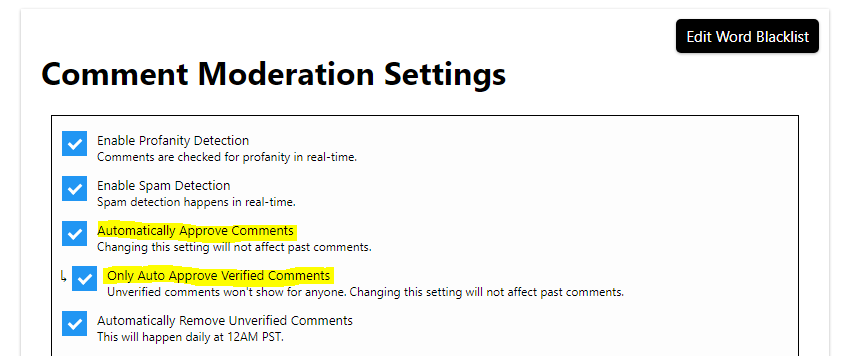
Now any comment that isn't verified by email won't show until the commenter completes the verification. They will also see a friendly message when leaving their comment, reminding them to check their email.
Changing this setting takes effect immediately; however, it will not apply to past comments.
Happy commenting!