

Thu Apr 21 2022
...
Profiles, Badges, and Direct Messaging
What's New
FastComments has officially released User Profiles and related features.
User Profiles
A user's profile consists of their name, their online status, their recent activity, and a place to comment on their profile.
Their badges and progress toward earning badges are also displayed here.
Users can view their own profile by clicking their avatar in a comment thread or going to their account page.
Additionally, you can direct message a user from their profile.
User Profile Modal
When a user's avatar is selected, the Profile Modal will open. This has also been added for moderators on the Comment Moderation page.
Rewarding Users With Badges
Badges are another recent addition to FastComments that allow you to reward users in your community. Creating a badge is easy:
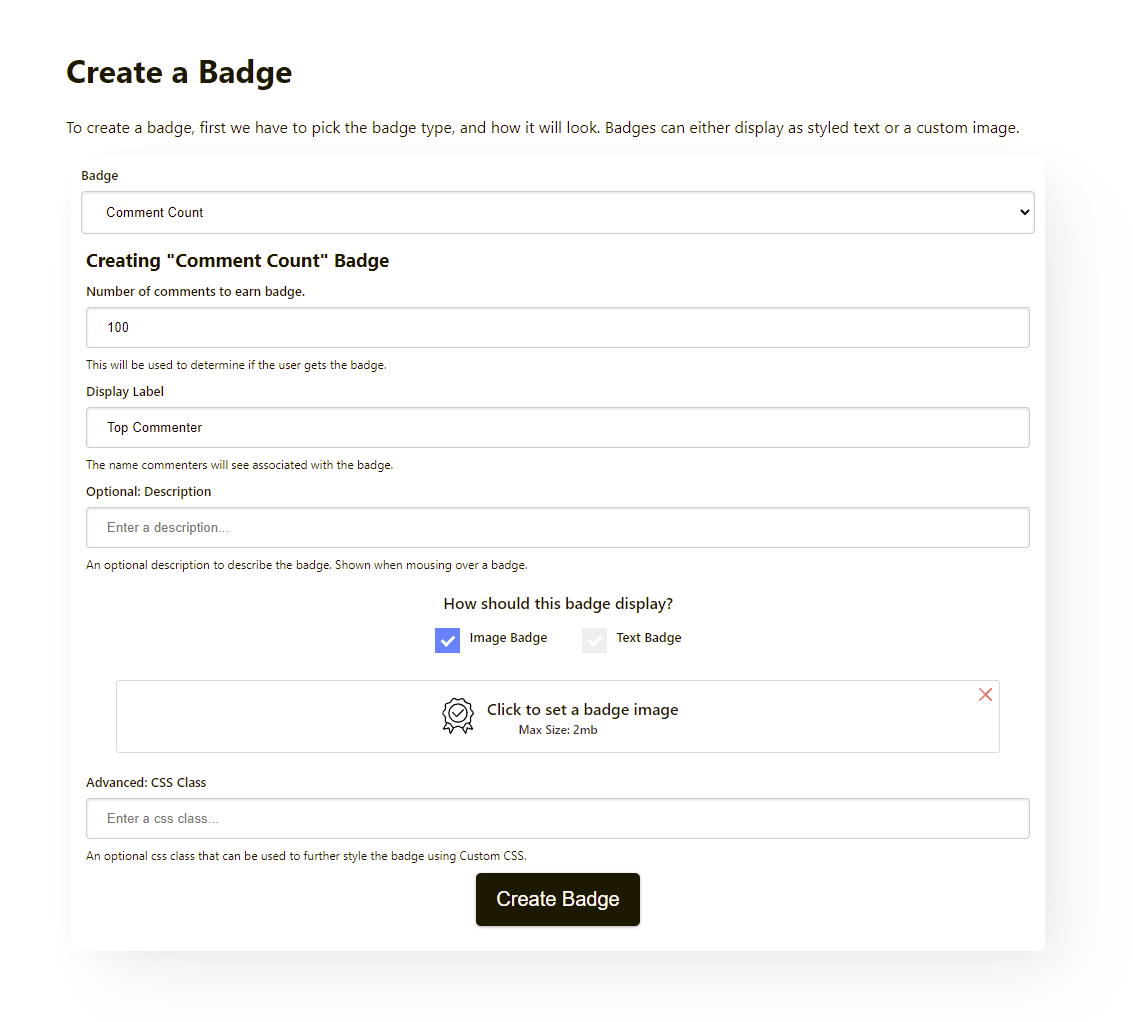
Badges can be awarded based on the following conditions:
- Number of Comments Left
- Number of Up-Votes Earned
- Number of Replies Received
- Number of Comments Pinned
- Veteran (time since the first comment)
- Commenting Late at Night
- Fast Reply Time
- Reply to Specific Page
- Moderators - Number of Comments Deleted
- Moderators - Number of Comments Approved
- Moderators - Number of Comments Un-Approved
- Moderators - Number of Comments Reviewed
- Moderators - Number of Comments Marked Spam
- Moderators - Number of Comments Marked Not Spam
As you can see, there are many types of situations where we can award users.
We can define multiple levels of badges. For example, we could introduce Comment Count badges with thresholds of 10, 100, and 1000 comments left. As users interact in your community, their earned badges will stack over time.
Let's not forget Moderators. In many communities, this is a thankless job. Provide your moderators with something to showcase by configuring Moderator badges for them.
We also support a few unique cases, like the Night Owl and Fast Reply Time badges to recognize members who are active late at night or are replying quickly. The Fast Reply Time badge works best when the live features of FastComments are used.
When new badges are created, they will automatically be assigned to existing members of your community who qualify.
Direct Messaging
Customers have requested the ability to Direct Message users since the launch of FastComments. Two years later, we are happy to finally announce this feature and thank those who have waited patiently.
Direct Messaging allows members in a community to message each other privately, but it also serves as a useful tool for Moderators and Administrators to reach out to commenters.
Like most of FastComments, all Direct Messaging features are live.
Asynchronous Direct Messaging
When you message a user, they may be offline. In this case, we will send the user an email letting them know they have a new message.
Direct Messaging Via Email
When a user receives a message via email, they have the ability to reply by responding to that email.
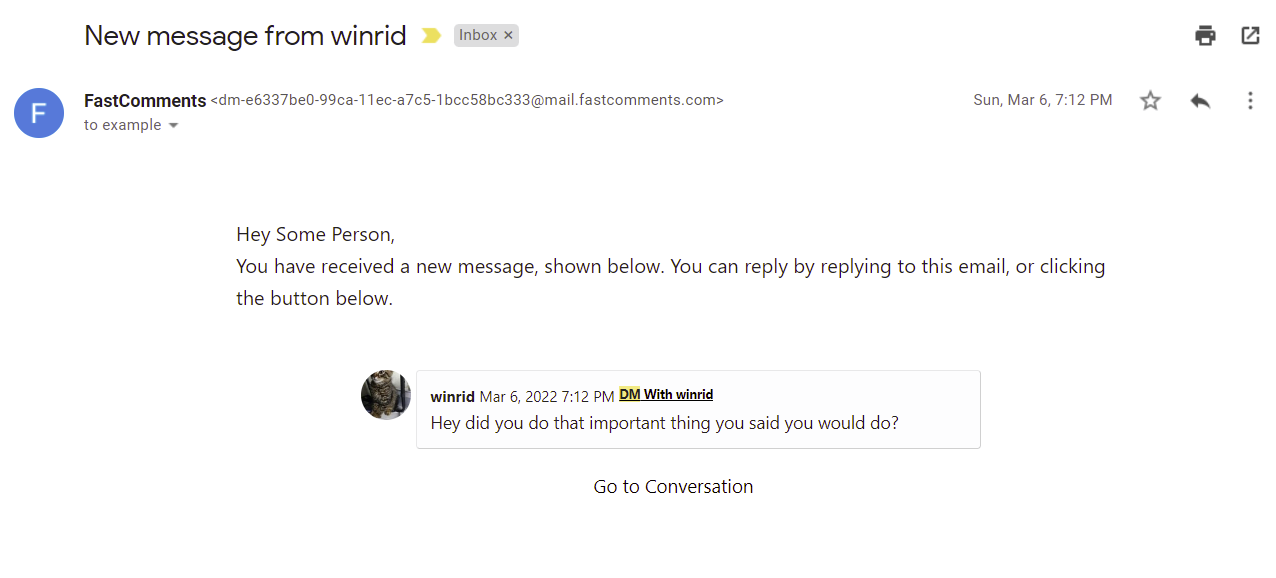
When they do so, their response will appear live to the other user in the Messages tab of their profile.
Secure SSO
FastComments User Profiles is fully compatible with existing Secure SSO installations.
Things like the user's privacy settings can also be configured via the isProfileActivityPrivate flag in the SSO payload.
By default, isProfileActivityPrivate is true.
Existing Customers
We have completed the rollout of this feature to all existing customers across all tiers.
Configuring Privacy
By viewing your profile, there are options to:
- Disable commenting on your profile.
- Prevent your activity from being viewable by others.
- Prevent others from direct messaging you.
Data Collected
User Profiles are created based on the data we have today, such as their name, what comments they have left recently, and so on.
We will not be collecting additional data to expand users' profiles. We like to think of User Profiles more like a typical user's profile on a forum.
In Conclusion
We believe these features greatly enhance FastComments as a platform, and we hope you find them useful and easy to use.
Cheers!