

Sun Mar 22 2020
...
Full Text Search Comes to FastComments
Moderators now have the ability to search a combination of usernames and comment text via the moderation page.
Simply go to the Moderate Comments page and enter some text in the search box in the center to start searching comments by words and phrases.
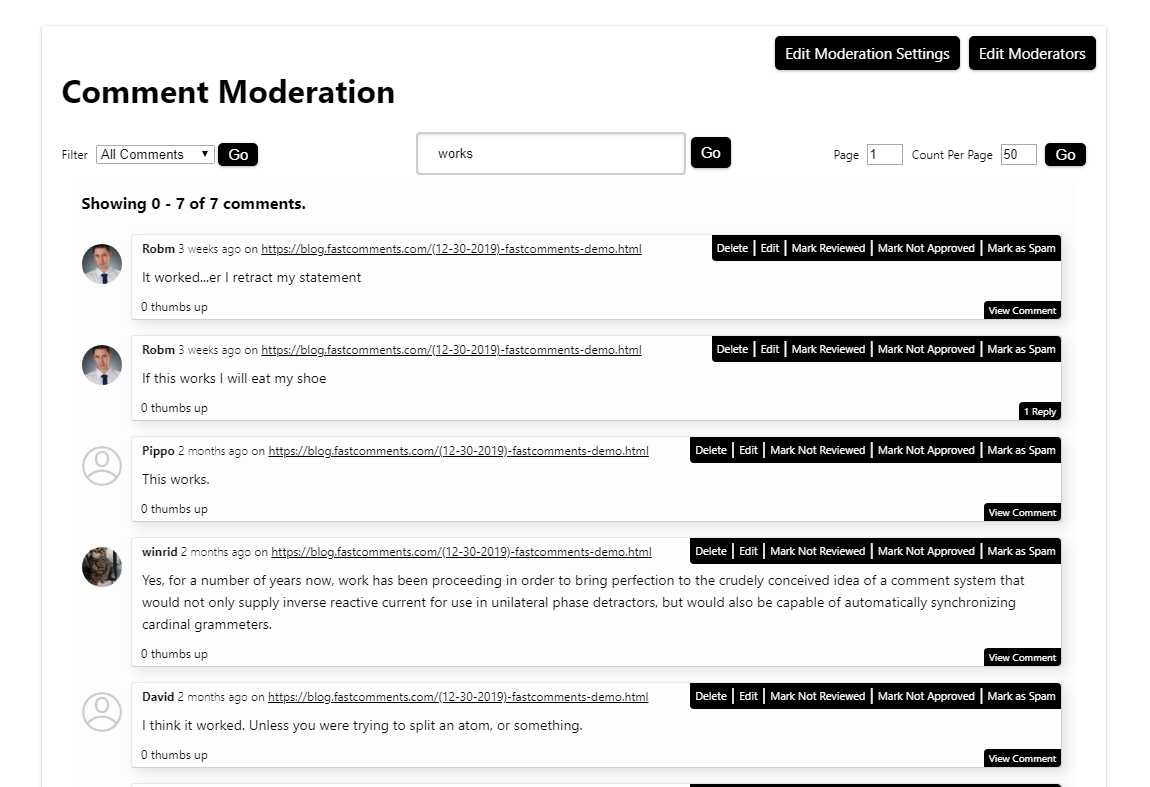
We believe this will help moderators find content they've seen before but didn't save a link to.
Additionally, if you click the "Go" button while searching, you can share or save the URL in your browser. Revisiting that same URL later will display the same search results and the page you were on.
Since this is "full text search," a search engine is trying to find the best matches based on your input - this is not the same as searching in a Word document, for example. So you might notice that you have to complete certain words to get matches.
Happy moderating!