

Fri Nov 13 2020
...
Customizing The Default Avatar
! This Article Contains Technical Jargon
Introduction
The default icon has remained the same since FastComments launched. Behold the glory of the default profile icon.

However, you can customize it now.
Without Code
First, add or edit a customization rule. Customization rules can be applied for just a page, a domain, or your entire account. If you want to change the profile picture globally, you can leave the URL ID field blank.
Scroll down to the "Default Avatar" section.
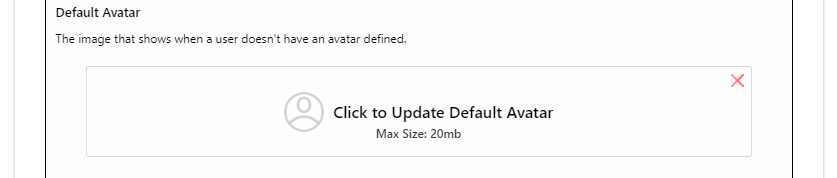
Click the button to upload a JPG, PNG, or GIF of up to 20mb. It will be resized to a 100px square.
In Code
If you wish to host the default avatar, and you already have a public URL for it, it can be defined in code as in the given example.
The image should be square, and its size should be a 100px square. Following these constraints will ensure the best experience.
Gotchas
- Customizing the default profile picture only affects your site. It does not impact notification emails or the users' accounts in any way.
- Comments created before this change may still display the old profile picture. If you adjust the default profile icon and observe many comments on your site using the old profile icon, let us know.
In Conclusion
We hope you've found this guide helpful and easy to read. Feel free to comment below with any questions.
Cheers!