

Thu Sep 24 2020
...
Debugging Your FastComments Installation Made Easier
! This Article Contains Technical Jargon
What's New
At FastComments, we've just released a browser extension for Google Chrome. This extension will help you understand what configuration the comment widget is receiving and why it may not be visible.
You can find the extension here: https://chrome.google.com/webstore/detail/fastcomments-debugger/cadggdemhfkjjghkdbfhonoccnplffjj
How To Use It
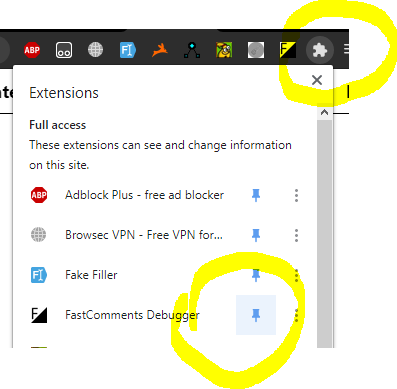
If you find that the comment widget is not loading, or some configuration you've set is not appearing, try installing the extension and opening it on the page in question. To see the icon in your toolbar, you may have to click the puzzle piece in the top right to pin it as shown:
The extension can help debug two types of errors. The first is if the widget is not included on the page at all or there is a significant typo in the script.
The second is if some configuration doesn’t seem to take effect.
To debug both, you start by simply clicking on the icon.
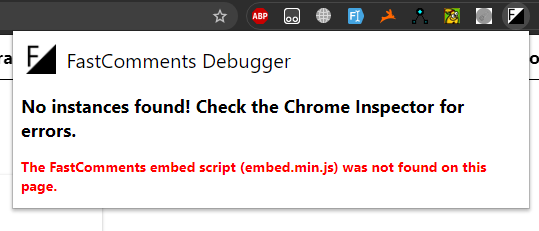
If the tool does not find the comment widget on the page, you’ll get a big red error:
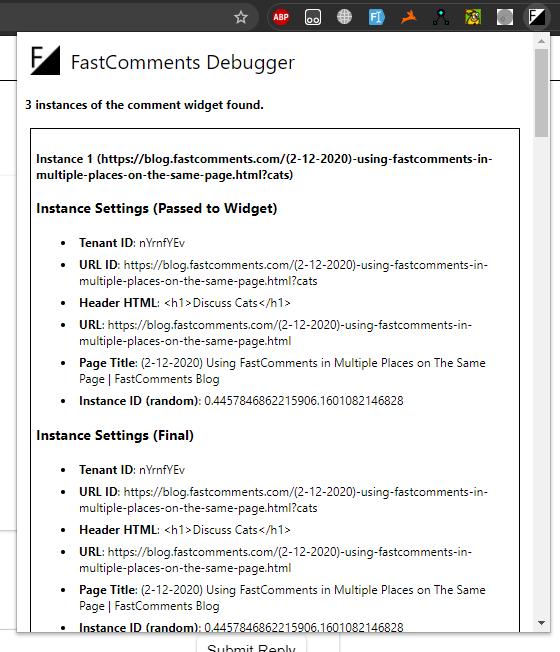
If one or more instances of the widget have been found, you will see their configurations displayed separately:
Moreover, the FastComments Debugger will also display warnings for common issues - like the widget not showing in readonly mode if no comments are available.
"Final" Instance Settings?
You might notice that the debugger shows two sets of configurations - one labeled "Passed to Widget" and one labeled "Final".
The "Passed to Widget" configuration is, as you might guess, the configuration that you pass to the widget. Some values are implicitly passed by embed.js like the URL or Page Title - and those are included.
The "Final" configuration is everything the widget uses to render itself. This may mean self-filled values (like instance id), or values from the widget customization admin page.
How It Works
The comment widget stores its configuration in a location where the debugger can find it, and then the debugger scans the current page you are on for instances of the widget and loads them into memory.
What Information Does This Extension Collect?
The FastComments Debug Tool does not communicate with any FastComments servers. In fact, the widget will not even check the content of the page you are on unless you open it.
In Conclusion
We hope that providing more tools like this makes setting up FastComments easier for every type of customer we have. Let us know in the comment section below how this worked for you.
We know that in some cases you may still need assistance - and for that, there’s still the customer support page.
Cheers!