

Tue Nov 17 2026
...
Добавьте живые опросы к своим комментариям с FastComments
Что нового
This release adds Live Polls. A poll is attached to a comment and renders inside it. Readers click an option to vote, without leaving the thread, and the results update live for everyone viewing the page as votes come in. No refresh, and nobody has to tally replies by hand.
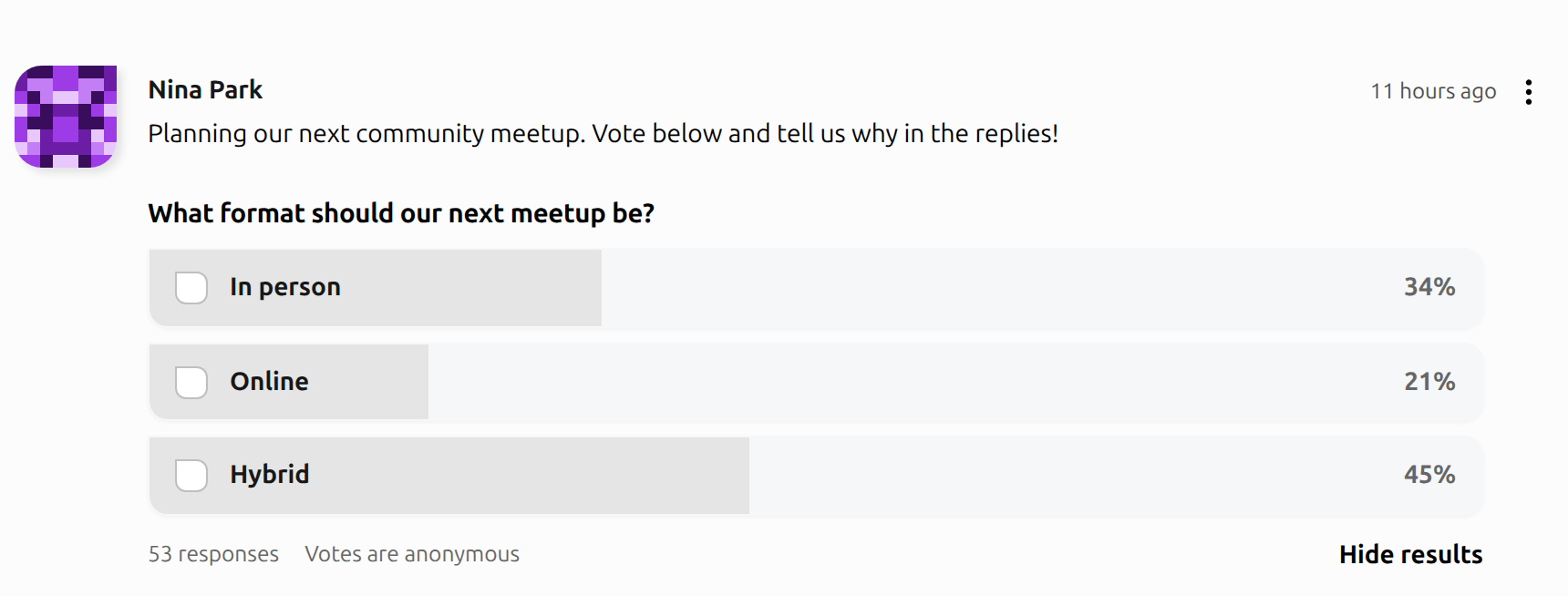
Since the poll is a comment, the conversation stays attached to it. People vote, then reply to say why.
Создание опроса
When polls are on, the comment editor gets a poll button. Clicking it opens a poll editor under the text input, where you set:
- Вопрос, up to 200 characters.
- Варианты, 2 to 10 of them.
- Когда закрывается: never, or after 1 day, 3 days, or 1 week. A closed poll shows its final results and stops taking votes.
- Конфиденциальность: anonymous, visible to admins, or public.
- Требовать голос для просмотра результатов, which keeps the results hidden from each viewer until they vote or the poll closes.
Then write your comment and post it as usual. Polls work on new comments and on replies.
Голосование
Each person gets one vote per poll, and can change it while the poll is open. Unless the poll requires a vote first, readers can click Show results to see where things stand before they pick.
Privacy is set per poll and shown right under the options, so voters know who can see their vote before they cast it. Anonymous polls (the default) only show totals, and nobody, admins included, can see who voted for what. On admin-visible polls, admins and moderators can open See who voted. On public polls, anyone can.
Включение
Polls are off by default. Open your Настройка виджета, check Enable Polls, and pick who can create them:
- Только администраторы/модераторы (the default), for when you want to run the polls yourself.
- Все, for when you want your community asking each other.
Voting requires a logged in user by default. Check Allow Anonymous Poll Votes to let anyone vote. To keep that fair, anonymous votes are limited to three per IP address per poll per hour.
Like every customization rule, this can apply to your whole site, a domain, or a single page.
Уведомления
The author of a poll hears about responses as they come in: a notification, grouped when lots of people vote at once, and a daily email when the poll got new responses that day. Only a first vote counts as a response, so someone changing their mind doesn't send more. The notifications follow the poll's privacy, so an anonymous poll only says how many new responses arrived, never who.
Нативные мобильные SDK
Polls aren't only in the web widget. Our native SDKs render the poll card, the poll editor, the live results, and the voter list with real native components, and they read the same widget settings from your dashboard. Turn polls on once and they show up on your site and in your apps.
- iOS: fastcomments-ios 2.1.0, through Swift Package Manager.
- Android: fastcomments-android 2.1.0, as
com.fastcomments:android-sdk:2.1.0. - React Native: fastcomments-react-native-sdk 5.3.0, on NPM.
The iOS and Android SDKs can also post a poll from your own UI. On iOS it looks like this:
The READMEs for iOS and Android, and the React Native changelog, cover the details, including how to restyle the poll colors to match your app.
API
Polls are in the REST API too. You can create a poll along with its comment by passing poll to POST /api/v1/comments,
or add, edit, close, and remove one later with /api/v1/polls/:commentId. Votes can be listed, cast, and removed with
/api/v1/poll-votes, which makes exporting results into a spreadsheet or your own CMS straightforward. The API follows
the same settings as the widget, and individual votes on anonymous polls can't be read through it.
Нагрузка
The poll code isn't loaded unless polls are enabled, so it doesn't slow down the comment widget for anyone else.
Документация
The Live Polls guide covers enabling polls, who can create them, anonymous votes, voter privacy, notifications, and the API.
Попробуйте
There's a live poll on the Live Polls demo. Vote on it, open the page in a second tab, and watch the results move. You can post your own poll there too.
В заключение
If your threads keep turning into head counts, give polls a try and let us know below what you'd like to see next.
Удачи!