

Fri Jan 21 2022
...
FastComments Releases Server-Side Rendering
! This Article Contains Technical Jargon
What's New
Since launching in early 2020, FastComments has exclusively used JavaScript to render the comment widget.
What if we told you that you could have almost all the same essential functionality, but without using JS?
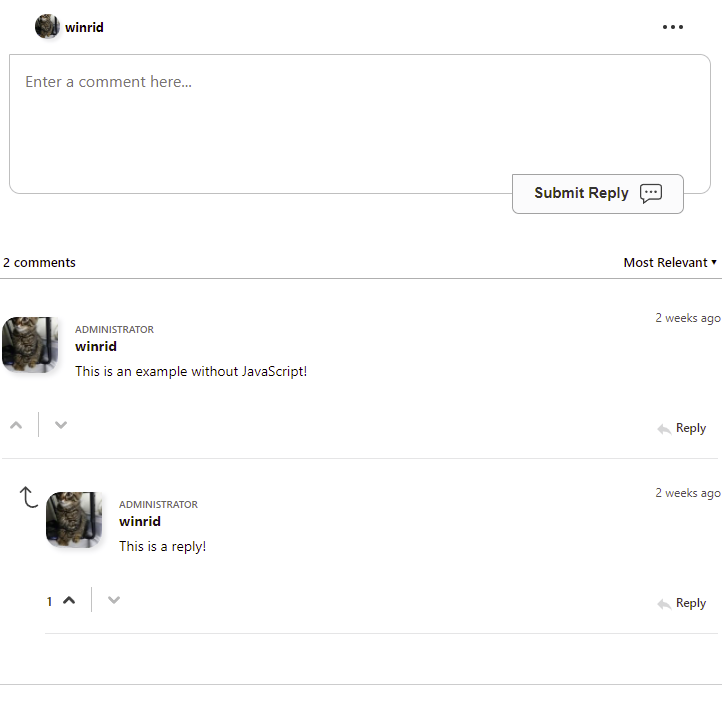
The screenshot above shows the FastComments commenting widget, without JavaScript. You can view this page, without JavaScript, here.
How to Use It
If you're using WordPress, the FastComments plugin version 3.10.1 automatically adds support for SSR as a fallback for your users who browse with JS disabled.
For custom implementations, fetch the UI for a comment thread by simply calling the /ssr/comments for that page:
Where $urlId is the URL or ID of the page. Documentation on this is here.
For example, with PHP, we can send an iframe to the page that renders the comment thread inside:
We could also make an API call to get the HTML for a comment thread and render or store it.
Complete documentation is available in the SSR Docs at docs.fastcomments.com.
SSO
Because we love enterprise-sounding acronyms, don't worry, SSR supports SSO. An example of Single-Sign-On with SSR is here.
Localization
The SSR-based endpoint automatically localizes the response based on the language-related headers the browser sends. It can also use the same localization overrides as the JavaScript-based widget.
Why This Was Built
One of the main complaints about services like FastComments is that they require JS. We already make our comment widget as slim as possible and ensure we meet our API call SLAs of < 20ms, but many smaller communities won't choose such a solution if it means adding JS to their site.
This also opens up opportunities to use rendering engines that don't have access to JavaScript.
The Technology
FastComments utilizes its own small microframework for rendering the UI. This framework employs a similar strategy to React, except that manual DOM manipulations outside the initial render are permitted.
The core comment widget library has a single entry point - it takes a set of state and creates resulting HTML and CSS to be rendered. We simply call this on the server as well. When the user interacts with the page, the state is changed and the latest HTML is fetched. This was created as a result of a hackathon that took place as part of the new year.
Live Commenting
Since the UI is rendered by the server one time, live commenting features are not available.
Additionally, the notifications bell is not currently available. We will be open to adding this feature in the future.
Performance
The server-rendered UI uses the same storage optimizations and rendering engine as the JavaScript-based widget. For small comment threads, performance is actually better, as the user does not need to download a script that then fetches the comments and renders the UI.
Crawlers and SEO
FastComments already works well with web crawlers; if SEO is a concern, using SSR is not required.
Future Applications
We plan on launching a Forum solution in the future. Traditionally, forums are paginated and server-side rendered. Modern Forum solutions move away from this norm by using infinite scrolling and client-side rendering. We don't think this has to be the only option for utilizing a third-party Forum solution.
In Conclusion
We hope you've found this guide helpful and easy to read. Feel free to comment below with any questions.
Cheers!